IT
Indra Tech
UAV Upgrade · 2026
Indra Tech drones
UAV Upgrades · Optical Navigation

Drone upgrades
built for EW

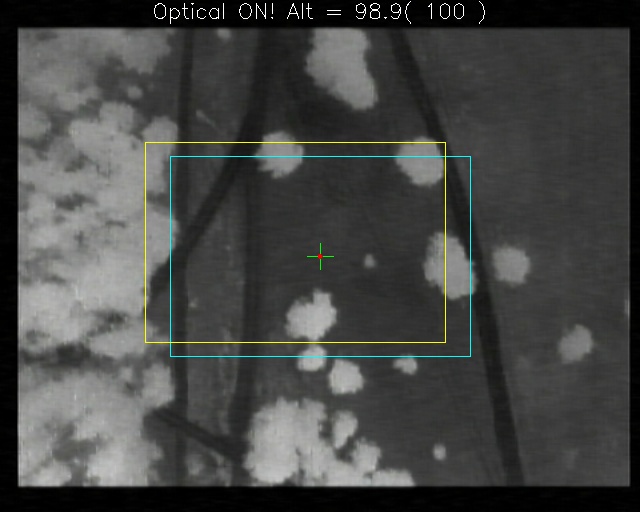
We install Ardupilot, gimbals, thermal cameras and an onboard computer with optical navigation — the drone flies and returns without GPS or radio link.

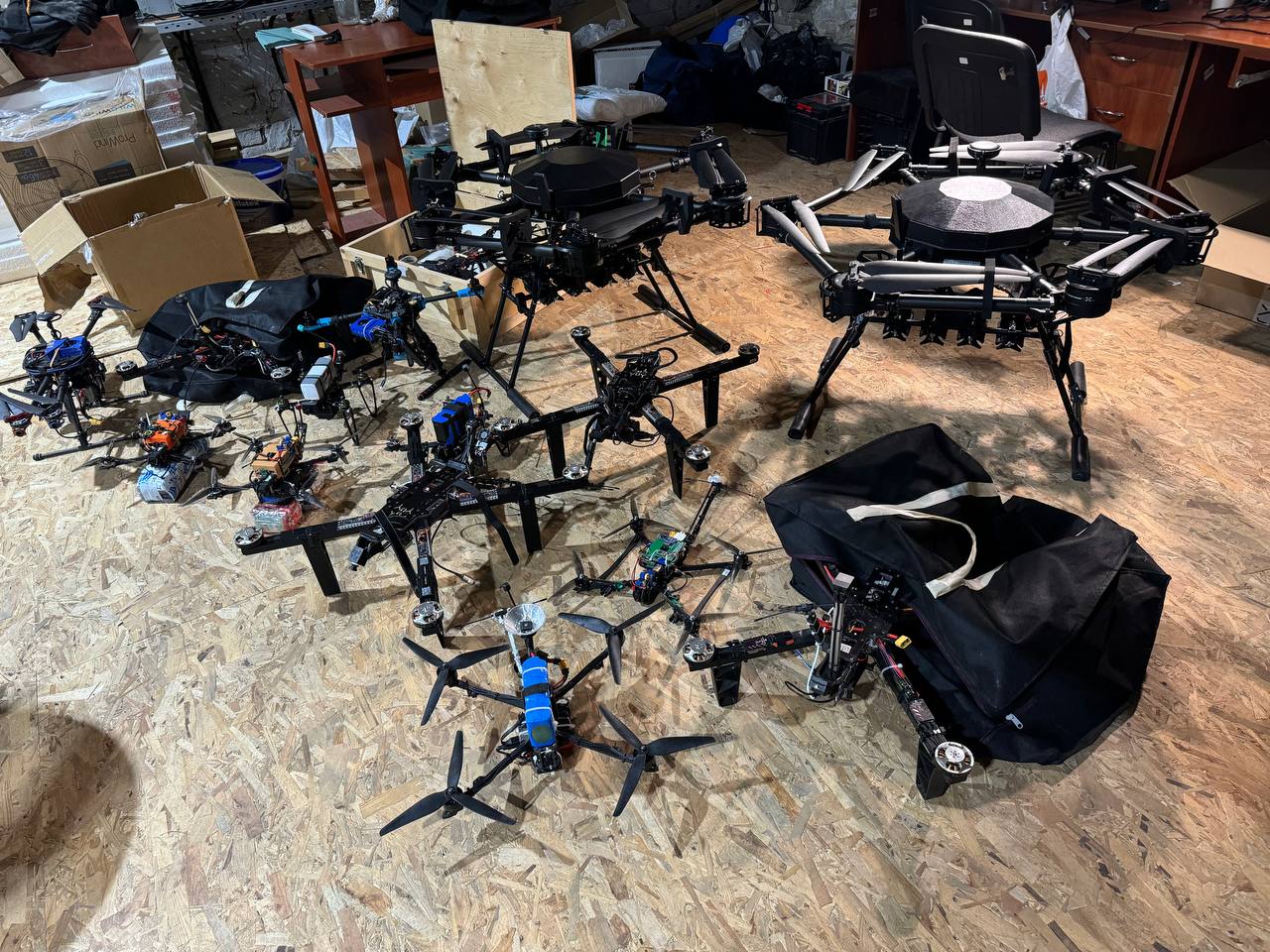
Queen of Hornets Vampire 15″+ frame
IT
Indra Tech
01 / 06
What we do

We upgrade heavy drones
to operate reliably under EW

15″
Frames of 15 inches and up

Enough space and payload capacity for the autopilot, cameras and onboard computer — with no compromise in flight.

Platforms
Queen of Hornets
Vampire
and others

EW resilience

Optical navigation instead of GPS

Auto return

Optical RTL on link loss

A → B missions

Route flight without GPS

IT
Indra Tech
02 / 06
What we install

Complete turnkey kit

Ardupilot OSD
01

Ardupilot

Autopilot with optical odometry — stable flight without satellites

02

Gimbal systems

Stabilized camera for surveillance and precise target work

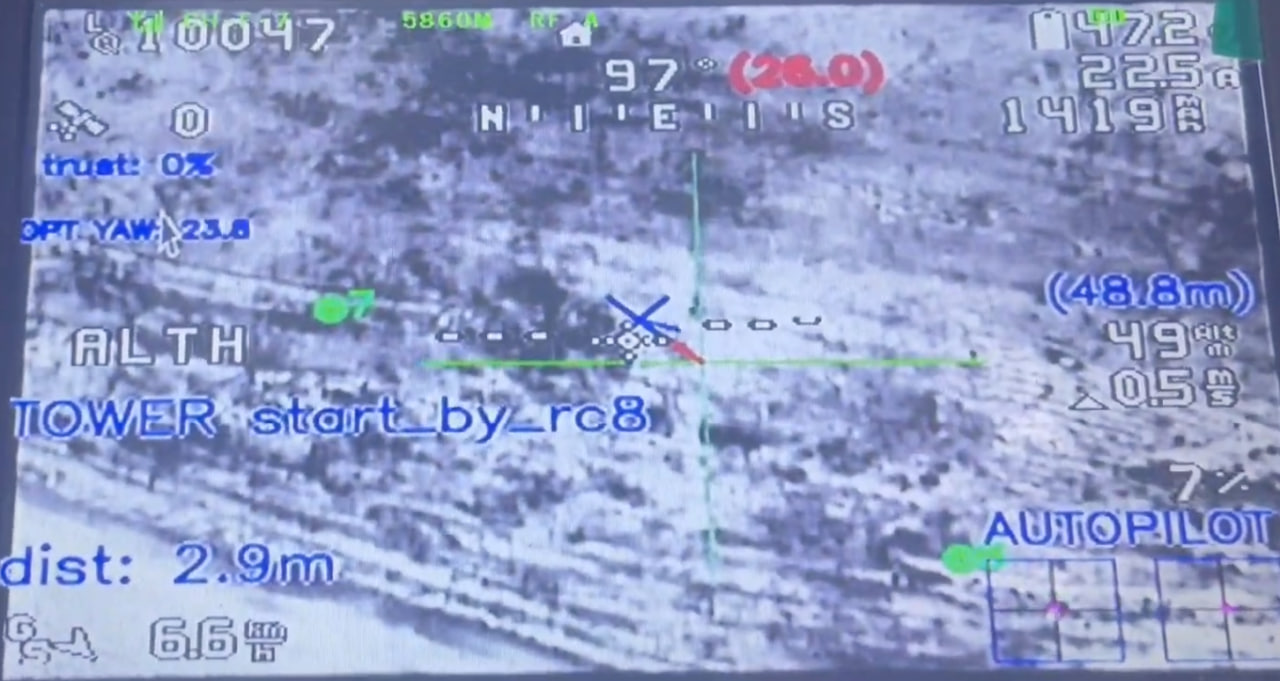
Camera view
03

Thermal cameras

Operations at night and in low visibility

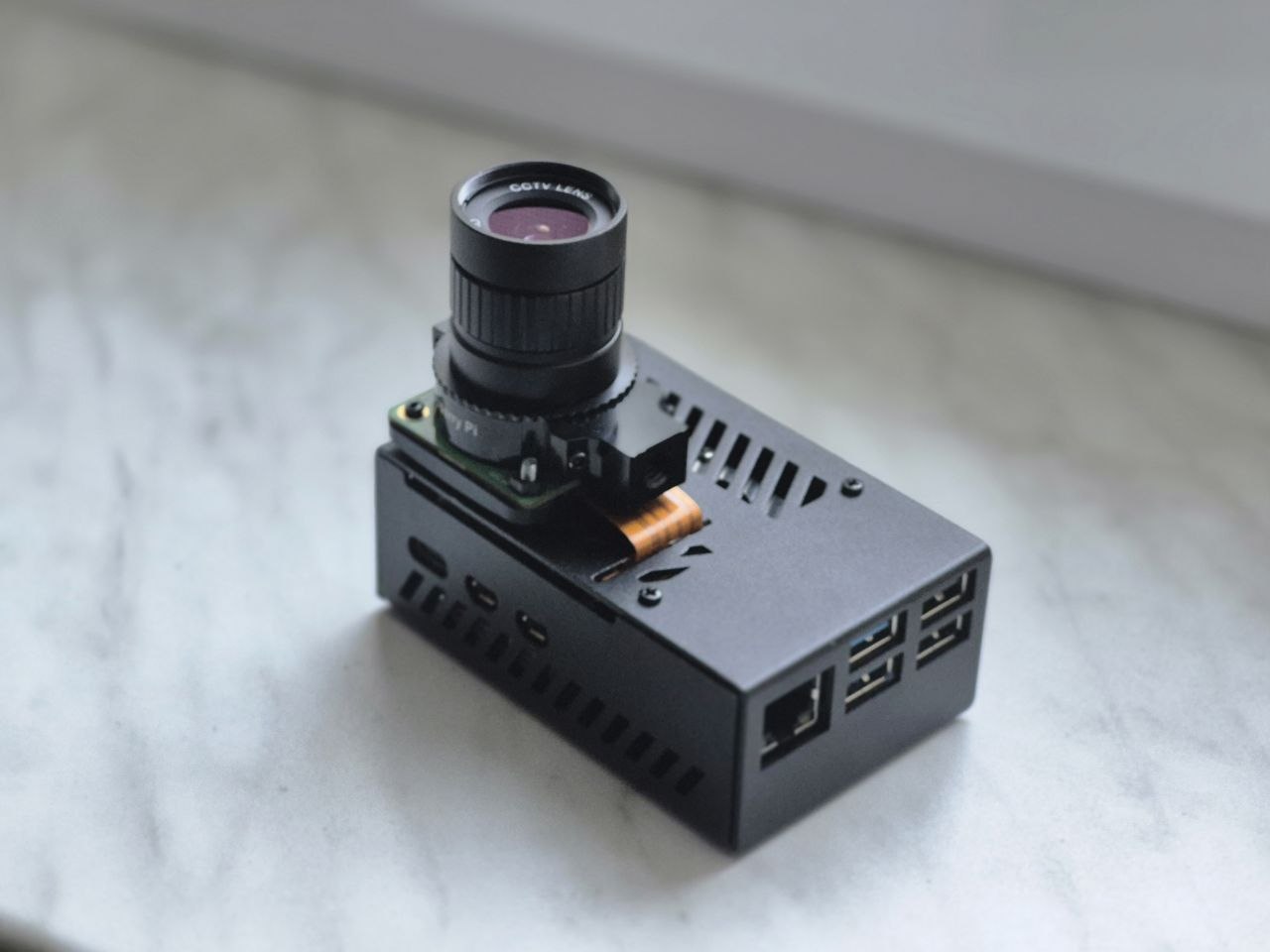
Onboard computer
04

Onboard computer

Real-time video processing: optical navigation and autonomous missions

IT
Indra Tech
03 / 06
Available versions

Three levels of autonomy

Level 1

OpticalFailsafe

Safe flight and return without GPS
  • Optical stabilization on Ardupilot (Odometry, no-GPS)
  • Drone position arrow in QGroundControl without GPS
  • Optical RTL Failsafe — return to home
  • Web configuration form
Level 2

Optical NavigationBase

Mission flights without GPS
All of Optical Failsafe +
  • Special compass and azimuth settings without GPS
  • Mission flights: from point A to point B and back
Use cases
LogisticsBombersRecon
Level 3

Optical NavigationAdvanced

Ground station and map tools
All of Optical Navigation Base +
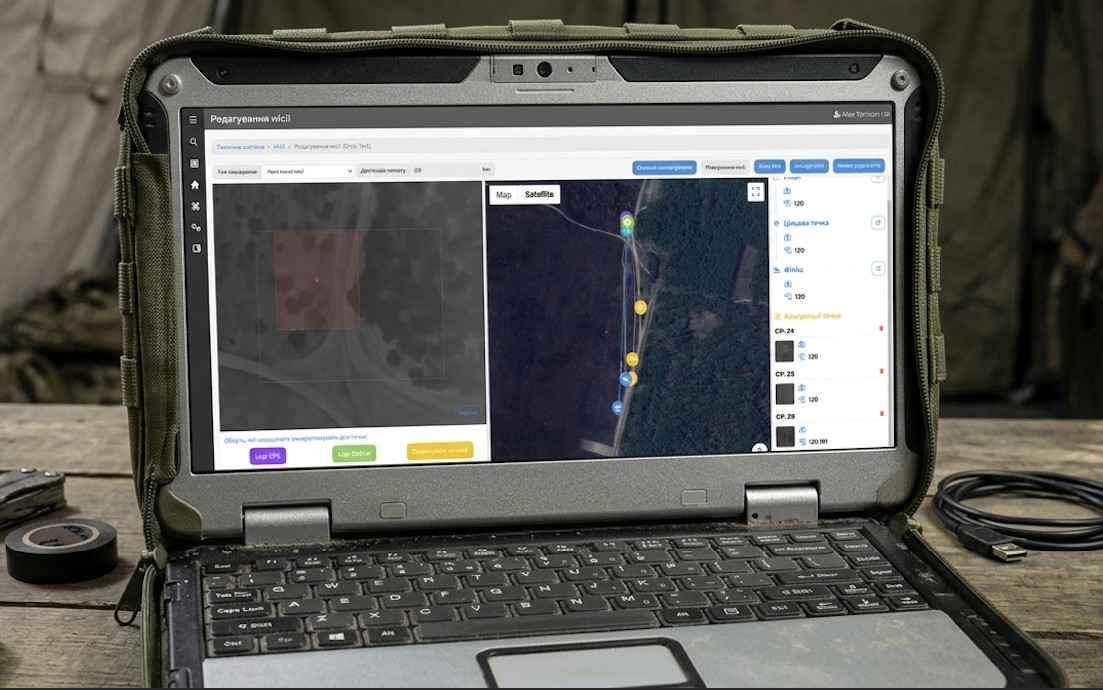
  • Laptop with admin system
  • Flight log analysis
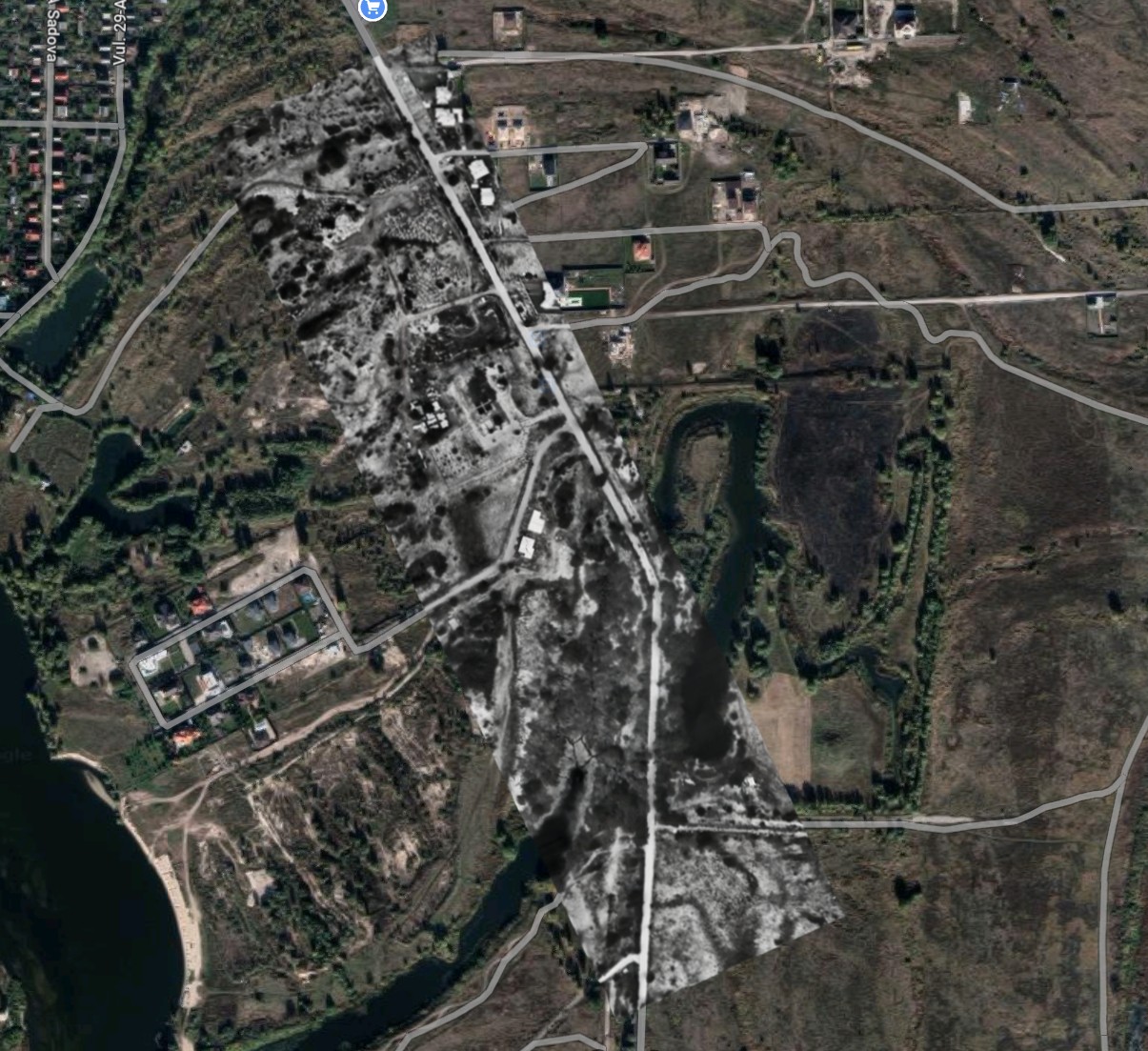
  • Flights using maps from a previous flight with 99.9% accuracy
  • Satellite maps option
  • Point drop option
IT
Indra Tech
04 / 06
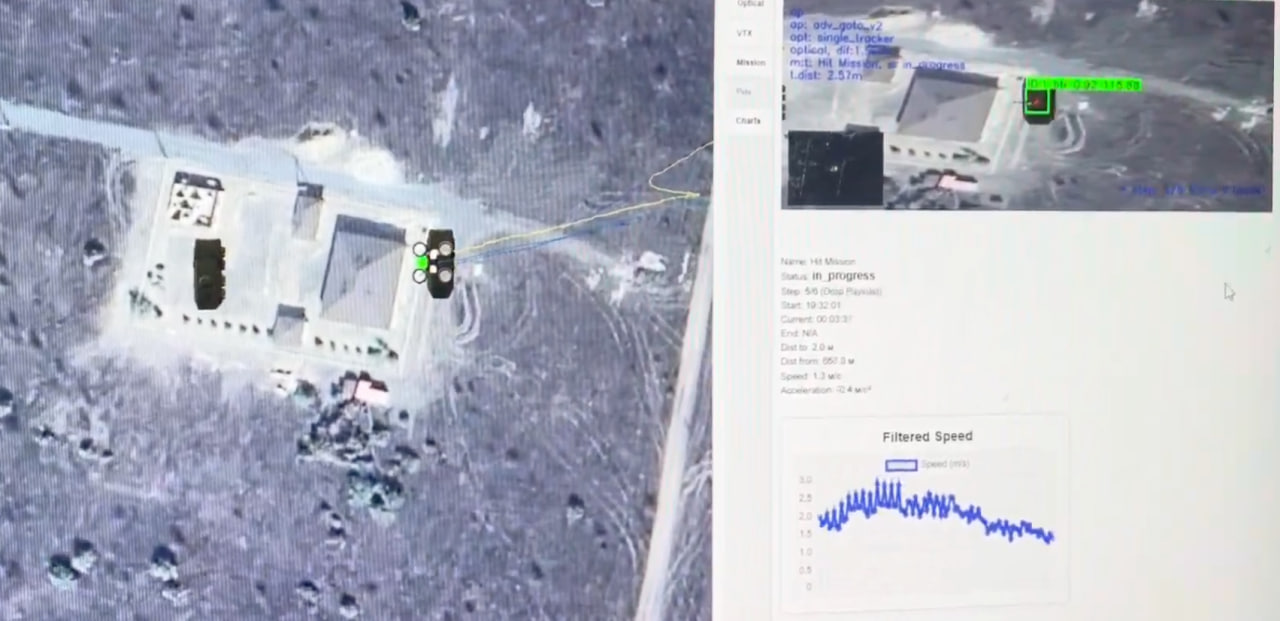
Level 3

Optical Navigation Advanced

Admin system on a laptop: logs, maps and mission planning in one place

IT
Indra Tech
05 / 06
How to use

From setup to autonomous flight

  1. Set up the controller and drone following the manual
  2. Optical mode is switched on the controller
  3. Set the start point in the web form
  4. Set the flight azimuth using the dedicated guide when GPS is unavailable
  5. Plan the mission in the web form
  6. Link lost? The drone continues the mission without GPS or link or returns home
Mission scenario
EW ZONE no GPS or link H Start B Mission point Link lost Continues mission Optical RTL
Mission route Return to home EW zone
IT
Indra Tech
06 / 06
IT

Indra Tech

Drones that complete the mission and come back — even without GPS or link

Optical Failsafe Optical Navigation Base Optical Navigation Advanced